


Best Desktop Computers to Gift: NIPOGI’s Holiday Buying Guide

The best computer gift is one the recipient will use—not simply the model with the longest specification list. A parent replacing an old desktop, a student setting up a study corner and a friend who enjoys PC games need different things.
For this holiday shortlist, we have selected five NIPOGI mini PC configurations around those everyday situations. These compact desktops are particularly useful for someone who already owns a monitor or wants a permanent workspace without a large tower.
Holiday PC Gift Picks at a Glance
| Gift recipient | Recommended configuration | Why it makes the shortlist | Main consideration |
|---|---|---|---|
| Parents and everyday home users | P2: Ryzen 3 7330U, 16GB RAM, 256GB SSD | A starting point for replacing a computer used for browsing, documents and video calls | Storage may be restrictive for a large photo collection |
| Students with a fixed study setup | E3B: Ryzen 7 7730U, 16GB RAM, 512GB SSD | More storage than the P2 configuration for coursework and personal files | Memory is onboard rather than upgradeable |
| Home-office users | P3: Core i5-12500H, 16GB RAM, 512GB SSD | Multiple display connections and six USB-A ports for a desk full of peripherals | Not the right configuration if the workload already requires more than 16GB RAM |
| Casual gamers | H1: Ryzen 7 7735HS, Radeon 680M, 24GB RAM, 512GB SSD | A compact option to investigate for everyday computing and a defined selection of games | Game choice, settings and resolution determine suitability |
| Developers and heavier multitaskers | H2: Core i7-14650HX, 32GB RAM, 1TB SSD | More installed memory and storage, with replaceable RAM | Integrated graphics are not a substitute for a dedicated graphics card |
1. For Parents and Everyday Home Use: NIPOGI P2

NiPoGi P2 Mini PC
- Ryzen™ 3 3300U CPU
- Vega 6 Graphics
- 16GB DDR4 RAM + up to 1TB M.2 SSD
- Triple 4K Display Support
Buy it for: someone replacing an ageing computer used mainly for email, online shopping, documents and family video calls.
The P2 configuration combines a Ryzen 3 7330U processor, 16GB memory and a 256GB SSD. Its HDMI, DisplayPort and USB-C video connections offer several ways to reuse an existing display.
Why this pick: it gives you a straightforward starting point when the recipient needs a household computer rather than a machine for demanding creative work. Reusing their familiar screen and keyboard can also make the change less disruptive.
Choose another option if: they store years of family videos or a large photo library locally. The E3B configuration below provides more built-in storage.
2. For a Student’s Study Setup: NIPOGI E3B
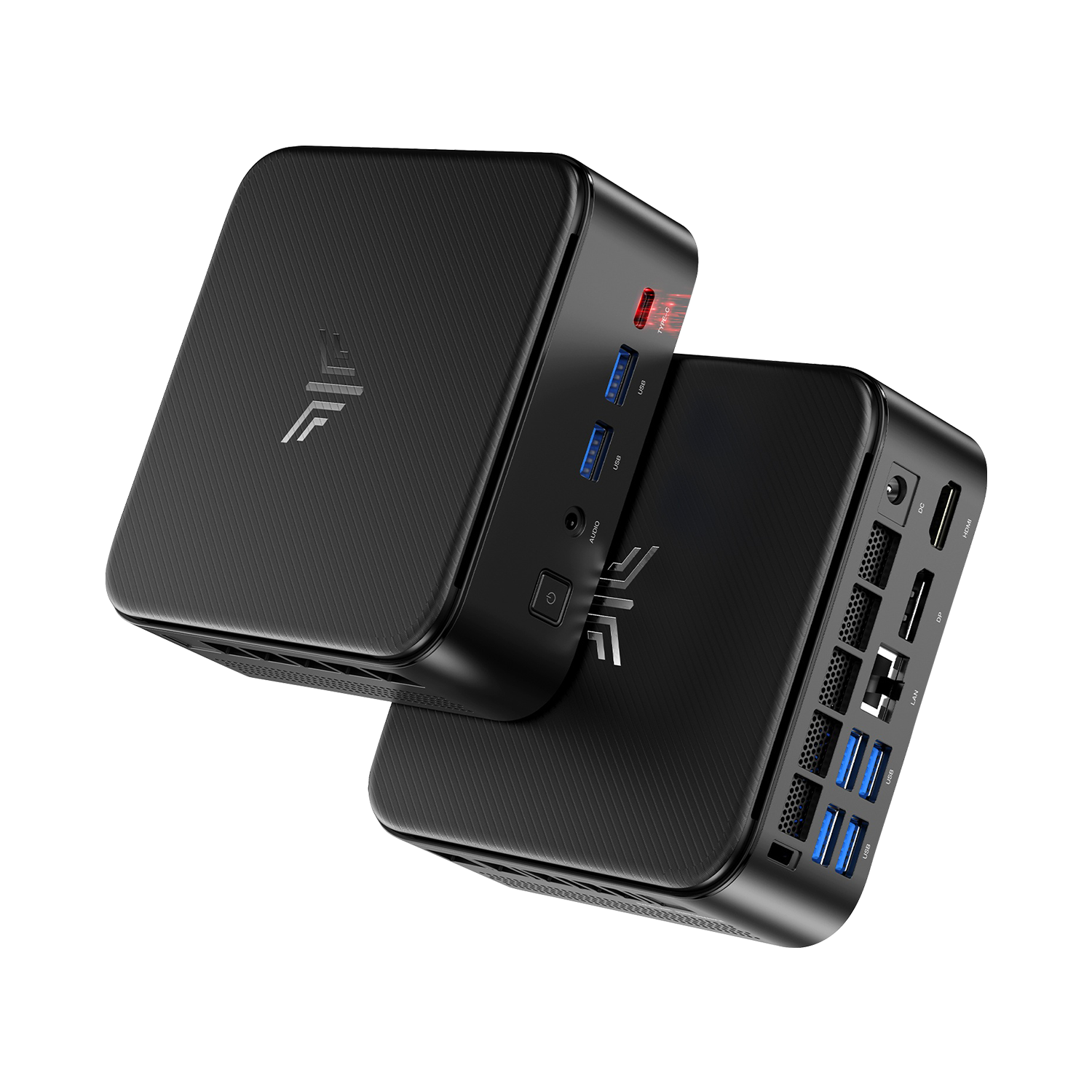
NiPoGi E3B Mini PC
- AMD Ryzen™ 5 7430U Processor
- Up to 32GB DDR4 RAM + PCIe NVMe SSD
- Triple 4K Display Output
- Dual Air Vents Design | Wi-Fi 6 & Bluetooth 5.2
Buy it for: a student who already has a portable device and wants a separate desktop for assignments, research and introductory programming.
The selected E3B version pairs a Ryzen 7 7730U processor with 16GB memory and a 512GB SSD—twice the storage capacity of the P2 configuration above.
Why this pick: the extra storage is useful for keeping coursework, applications and personal files on one computer. Its role is a permanent study station, not a replacement for a laptop the student needs to carry to classes.
Choose another option if: their course requires specialist graphics software or more memory. This version’s RAM is onboard, so future needs should influence the configuration you buy now.
3. For a Connected Home-Office Desk: NIPOGI P3

NiPoGi P3 Mini PC
- Intel Core i5-12500H Processor
- 16GB LPDDR5 RAM & 512GB M.2 NVMe SSD
- Multi-Display 4K Ultra HD Output Support
- Intel Iris Xe Graphics
Buy it for: someone whose workday involves documents, browser-based tools, meetings and several connected devices.
The P3 lists a Core i5-12500H processor, 16GB onboard memory and a 512GB NVMe SSD. Its connections include six USB-A ports plus HDMI, DisplayPort and USB-C video outputs.
Why this pick: the port selection is useful for a desk with a webcam, keyboard, mouse and external storage. It is a configuration to compare when the recipient wants an Intel-based office computer with several direct connections.
The E3B can also serve office users; these categories describe suitable situations, not exclusive uses for each model.
Choose another option if: the recipient’s current applications already require more than 16GB RAM. The H2 below provides a higher-capacity starting point.
4. For Casual Gaming and Everyday Computing: NIPOGI H1

NiPoGi H1 Mini PC
- AMD Ryzen 7 7735HS Processor
- 24GB LPDDR5 RAM & 512GB NVMe SSD
- Multi-Display 4K Support
- AMD Radeon 680M
Buy it for: someone who wants one compact computer for everyday tasks and a specific selection of games.
The H1 version featured here includes a Ryzen 7 7735HS processor, Radeon 680M integrated graphics, 24GB onboard memory and a 512GB NVMe SSD.
Why this pick: its Radeon 680M graphics make the H1 a relevant candidate when gaming is part of the gift brief. Begin with the recipient’s actual game list, then compare the games’ requirements and credible results for the same hardware.
“Minecraft with shaders” and “Minecraft without shaders,” for example, should not be treated as the same purchase requirement.
Choose another option if: the gift is expected to run demanding new games at high settings. That calls for a suitably specified dedicated-GPU system.
5. For Development and Heavier Multitasking: NIPOGI H2

NiPoGi H2 Core i7 Mini PC
- Intel® Core™ i7-14650HX — 16 Cores, 24 Threads
- 32GB Dual-Channel DDR4 RAM — Expandable to 64GB
- 1TB PCIe 4.0 NVMe SSD + Two M.2 Slots
- Gigabit Ethernet, Wi-Fi 6E & Bluetooth 5.2
Buy it for: a developer or experienced user who needs more room for applications, project files and locally running services.
The Core i7-14650HX version comes with 32GB RAM and a 1TB NVMe SSD. Its two memory slots support up to 64GB, according to the product specification.
Why this pick: compared with the 16GB/512GB configurations above, it provides twice the installed memory and storage. Replaceable RAM also gives the recipient an upgrade path that the onboard-memory options do not offer.
Choose another option if: their priority is demanding gaming, GPU rendering or software requiring a dedicated graphics card. This configuration uses integrated Intel UHD graphics.
Make the Gift Personal—and Ready to Use
The computer is the main present, but a thoughtful addition can make it feel chosen for the person receiving it.
For parents, include an afternoon of setup help. Moving family photographs, reconnecting the printer and placing familiar shortcuts on the desktop can make a new computer easier to enjoy. If they like their current monitor and keyboard, keeping those familiar pieces may be more useful than replacing everything.
For a student, build around their study space. Someone who already owns a laptop may appreciate a larger monitor and a comfortable keyboard for working at home. If they have neither, include those essentials in the gift budget before choosing the PC.
For a home worker, start with what their desk is missing. A webcam, meeting headset or suitable display cable can complete the setup. Avoid buying another accessory they already use and like.
For a gamer or developer, leave room for personal choice. They may have strong preferences about controllers, keyboards and software. Giving them the computer alongside an accessory they have specifically requested is more thoughtful than guessing at a bundle.
You do not need to buy everything new. A complete gift can be a new mini PC, equipment the recipient already enjoys using, and help getting the two working together.
Before You Wrap It
A few details matter especially when a computer will remain unopened until the holidays.
Make sure the order names the exact processor, memory and storage you chose.
For delivery, use the expected arrival date for your destination when planning the gift. Also find out when the return period begins, particularly if you are ordering well before the recipient will open it.
Finally, decide whether to present the computer sealed or offer to set it up together. An experienced user may enjoy the first setup; someone replacing an old family computer may prefer your help transferring files.
A useful final question is: what would make their first day with this computer easier? Put the remaining gift budget—or a little of your time—towards that.
Explore NIPOGI mini PCs and choose the configuration that fits their everyday life.