


How to Choose the Right Mini PC for Your Small Business
Buying computers for a small business means deciding where to spend—and where a simpler configuration will do. A reception desk handling appointments may have different needs from an employee working with large spreadsheets or several business applications at once. Across multiple workstations, those choices can make a meaningful difference to the budget.
For teams working at fixed desks, a mini PC is worth considering, especially when suitable monitors and peripherals are already in place. The key is choosing the right combination of processing capability, memory, storage and connections for each role.
This guide compares four NiPoGi mini PCs, explains their strengths and trade-offs, and helps you decide which configurations belong on your business shortlist.

Our Picks at a Glance
| Model | Why Choose It? | CPU | RAM / SSD | Key Consideration | Unit Price* |
|---|---|---|---|---|---|
| NiPoGi E3 | Lower price; upgradeable RAM | Ryzen 5 3501U | 16GB / 512GB | Supplied SSD uses SATA | €269 |
| NiPoGi P2 | Six USB-A ports for peripherals | Ryzen 3 7330U | 16GB / 256GB | Onboard RAM; smaller SSD | €279 |
| NiPoGi E3B | Eight-core Ryzen 7 configuration | Ryzen 7 7730U | 16GB / 512GB | Onboard RAM limits upgrades | €399 |
| NiPoGi H2 | More RAM and storage | Core i7-14650HX | 32GB / 1TB | Higher cost; integrated graphics | €659 |
Buying for your team or multiple locations? Get discounted pricing for your bulk order. Send your estimated quantity, preferred models and delivery country to grain@acemagic.com.
NiPoGi E3: A Budget Option With Upgradeable RAM

NiPoGi E3 Mini PC
- AMD Ryzen 5 3501U - 4 Cores/8 Threads
- AMD Radeon Vega 8
- 16GB DDR4 RAM — Up to 32GB
- 512GB SSD - Up to 4TB
Why Choose It?
The E3 is worth shortlisting when you want to control the cost of routine office workstations while retaining the option to upgrade memory later. Administrative desks handling documents, email and appointment systems are relevant use cases to evaluate.
Its combination of a lower reference price, 512GB of included storage and replaceable RAM gives it a clear place in this comparison—particularly when existing monitors and accessories can be reused.
NiPoGi P2: An Option for Desks With Multiple USB Devices

NiPoGi P2 Mini PC
- AMD Ryzen™ 3 7330U CPU
- AMD Radeon RX Vega 6
- 16GB LPDDR4 RAM + up to 4TB SSD
- Triple 4K Display Support
Why Choose It?
The P2 deserves attention when the workstation needs several direct USB connections. A keyboard, mouse, webcam, headset adapter and printer can quickly occupy the available ports.
Its six USB-A ports make it a practical candidate for reception, administration and operational desks using multiple accessories. Check compatibility separately for specialist equipment such as scanners and label printers.
NiPoGi E3B: A Ryzen 7 Option for an Office Upgrade
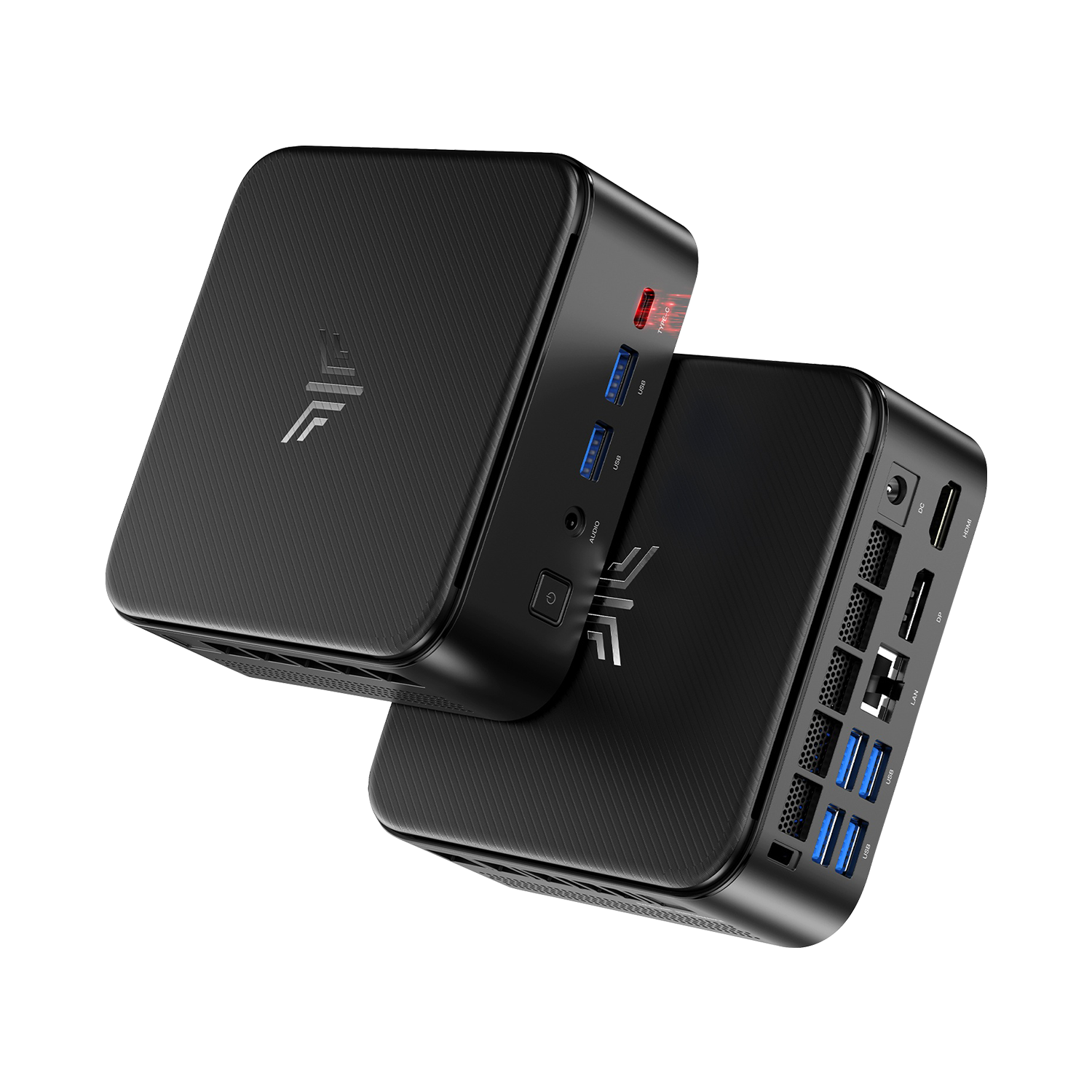
NiPoGi E3B Mini PC
- AMD Ryzen™ 5 7430U/Ryzen 7 7730U Processor
- 16GB LPDDR4X RAM + 512GB SSD
- Triple 4K Display Output
- Dual Air Vents Design | Wi-Fi 6 & Bluetooth 5.2
Why Choose It?
The Ryzen 7 7730U version of the E3B belongs on the shortlist when processor capability is a priority. Its eight-core, sixteen-thread specification provides a reason to evaluate it for workloads involving several business applications.
For an office upgrade, focus on the tasks you want to improve—such as report generation, calculations or concurrent application use—and assess whether the configuration justifies the additional spend.
NiPoGi H2: More Memory and Storage for Demanding Roles
NiPoGi H2 Core i7 Mini PC
- Intel® Core™ i7-14650HX — 16 Cores, 24 Threads
- 32GB Dual-Channel DDR4 RAM — Expandable to 64GB
- 1TB PCIe 4.0 NVMe SSD + Two M.2 Slots
- Gigabit Ethernet, Wi-Fi 6E & Bluetooth 5.2
Why Choose It?
The H2 is the clearest candidate in this comparison when your requirements call for more than 16GB of memory. Its larger included storage capacity and replaceable RAM also make it relevant when future expansion matters.
Consider it for roles where software requirements or workload evaluation justify the higher configuration, including substantial calculations, development environments and several demanding applications.
Compare Connections and Upgrade Options
| Feature | E3 | P2 | E3B | H2 |
|---|---|---|---|---|
| Version compared | Ryzen 5 3501U | Ryzen 3 7330U | Ryzen 7 7730U | Core i7-14650HX |
| Memory arrangement | SO-DIMM slots | Onboard | Onboard | SO-DIMM slots |
| Published memory expansion | Up to 32GB | No conventional RAM upgrade | No conventional RAM upgrade | Up to 64GB |
| USB-A ports | 4 | 6 | 6 | 6 |
| Video connections listed | HDMI, DP, USB-C | HDMI, DP, USB-C | HDMI, DP, USB-C | HDMI, DP, USB-C |
| Ethernet | 2 × Gigabit | 1 × Gigabit | 1 × Gigabit | 1 × Gigabit |
| Wireless | Wi-Fi 5 | Wi-Fi 5 | Wi-Fi 6 | Wi-Fi 6E |
Need Help Choosing PCs for Your Team?
Not sure which model to choose? Tell us how many PCs you need and what your team will use them for.
Email grain@acemagic.com with your estimated quantity, main applications and delivery country to discuss suitable configurations and bulk purchase discounts. If you have a budget or preferred delivery date, include those too.

Business Purchasing FAQs
Can I Ask About Multiple Models in One Email?
Yes. List the models and estimated quantities you are considering. Request confirmation of the pricing, availability and delivery arrangements for the proposed combination.
Can I Enquire About a Sample Before a Larger Purchase?
Include your sample request and preferred configuration in the email. Availability, pricing and any applicable terms need to be confirmed before proceeding.
For a wider deployment, evaluating a representative workstation with your software and peripherals can help confirm the selection.
Does the Price Include Monitors, Accessories and Microsoft Office?
Do not assume those items are included. The configurations compared here identify the mini PC, memory and storage; this guide does not establish an accessory bundle or Microsoft Office licence.
Mention any required displays, peripherals or software separately and ask what the quotation includes.
What Should I Include If I Need Delivery by a Specific Date?
Provide the destination country, quantity and required date. Mention whether all computers are needed together or whether a staged delivery would be suitable.
Ask for confirmation of the arrangements for the full order, including shipping charges, VAT treatment and applicable support terms.